Open Today Sales: 9 AM-8 PM


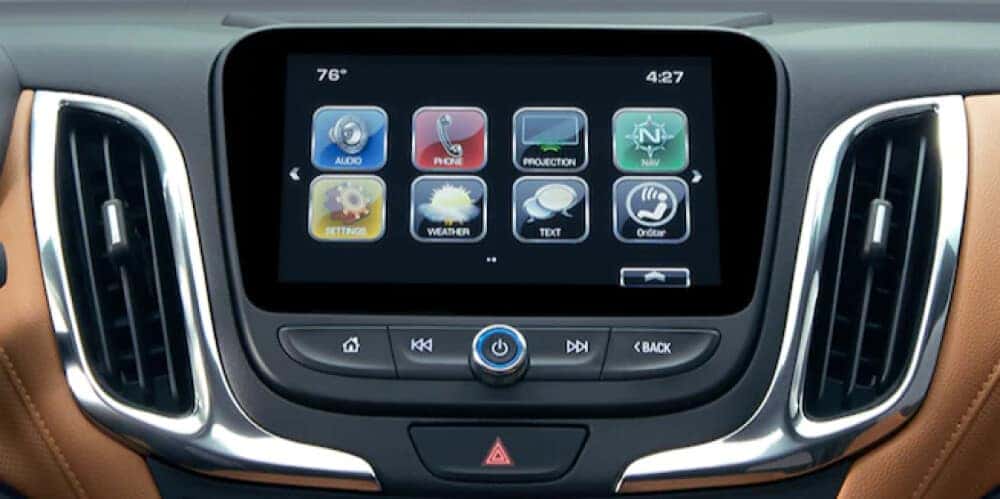
When you secure the keys to a new or pre-owned Chevrolet vehicle, you unlock an abundance of features designed to make your trips to Virginia Beach easier and more enjoyable. One such feature is Chevy MyLink. What is MyLink? You can think of it as the ultimate infotainment center, powering your life on the go with seamless smartphone integration, navigation, entertainment, and more. There’s no need to download Chevy MyLink in an app store—it’s built right into every new Chevy vehicle! Explore Chevy MyLink features and functions in detail below, then visit Rick Hendrick Chevrolet Norfolk to see MyLink inaction!
Chevy MyLink offers standard Apple CarPlay®, Android Auto™, and Bluetooth® functionality, giving Chesapeake drivers several ways to connect their smartphone to their vehicle’s main touchscreen display. Bluetooth® is wireless, while Android Auto™ and Apple CarPlay® may require USB connection in certain models. By pairing your phone to your vehicle using MyLink, you can access all of the following on the go:
In addition to connecting your smartphone to access the features stored on it, you can also access Chevrolet MyLink apps directly from your vehicle’s touchscreen display. From the MyLink menu, you can select from the following apps, features, and more:
Have a new driver in your family? When they ask to borrow the car for a quick trip to Suffolk, you can rest easier knowing Chevy MyLink and the Chevy Teen Driver system are looking out for them.
Teen Driver is a safety feature built into the Chevy MyLink system, helping young drivers practice safe road habits with the following functions:
Want to experience Chevy MyLink in action? Schedule a test drive at Rick Hendrick Chevrolet Norfolk to see just how easy life can be with MyLink on your side. Still searching for your perfect new Chevy with MyLink functionality? Check out our new Chevy specials for a chance to take your dream vehicle home to Norfolk for less!